
Hire a Technician
Need immediate technical help? Provide your details below and our team will connect you with an available technician.
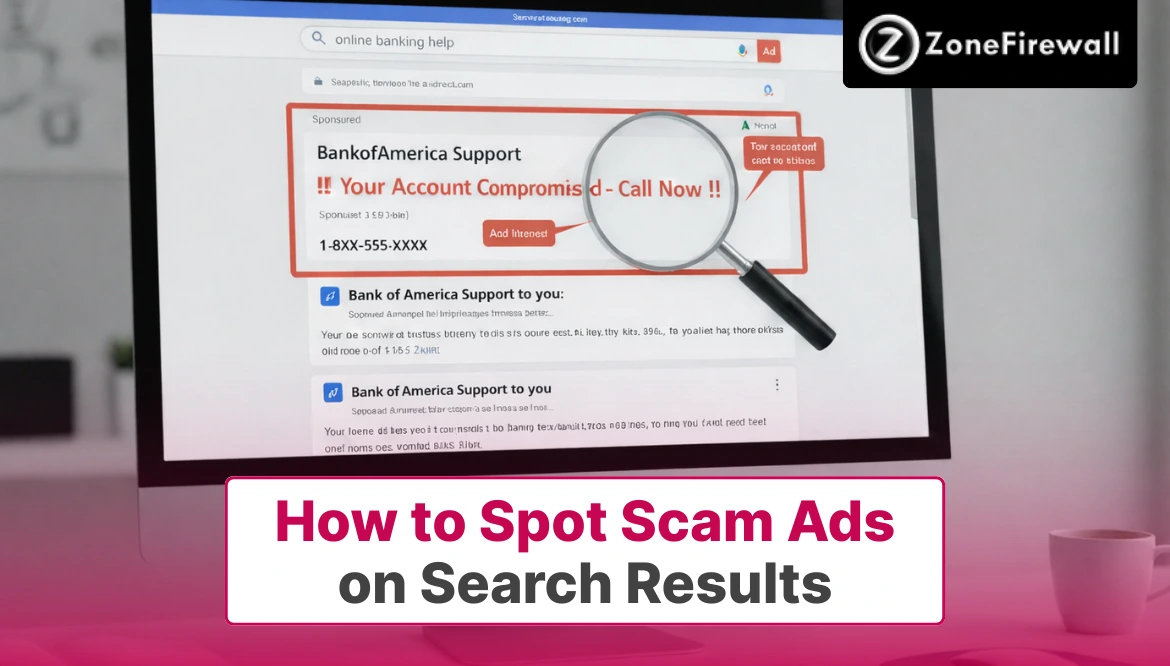
How to Spot Scam Ads on Search Results
Search engines are often the first place we go when we need help, want to buy something, or look for customer service. Unfortunately, scammers know this too. They place fake ads in search results that look legitimate but are designed to trick users into clicking. These scam ads can lead to fake websites, stolen data, or even financial loss. The problem is growing because these ads often appear above real results and seem trustworthy at first glance. Learning how to spot scam ads in search results is now an essential online skill. With the right awareness and habits, you can search confidently and stay protected.
Why Scam Ads Appear in Search Results
Scam ads appear because advertising platforms allow paid placements at the top of search pages. While platforms try to screen ads, scammers constantly find ways around these checks.
Many scam ads target popular searches like customer service numbers, software downloads, or urgent services. These ads are designed to catch users when they are already stressed or in a hurry.
Because search ads blend in with regular results, users may click without noticing small warning signs. This makes search results a powerful tool for scammers.
Common Types of Scam Ads You May See
Scam ads follow patterns, even if the wording changes. Recognizing these patterns helps you spot danger faster.
- Fake customer service ads using brand names
- Download ads for free or “cracked” software
- Urgent warnings about account problems
- Ads promising refunds, prizes, or quick fixes
Each of these is designed to trigger quick action rather than careful thinking.
How Scam Ads Mimic Legitimate Brands
Scammers work hard to look real. They copy logos, brand names, and familiar language to gain trust. They often use slight spelling changes in URLs or add extra words like “help,” “service,” or “official.” At a quick glance, these details are easy to miss.
Some ads even link to websites that closely resemble the real company’s page. The goal is to make users feel safe enough to share information or make payments.
Red Flags to Watch for in Search Ads
Not all ads are dangerous, but certain signs should raise concern.
- Misspelt brand names or strange URLs
- Overly urgent language like “act now” or “account blocked.”
- Requests for personal or payment information
- Ads that redirect multiple times before landing
If an ad makes you feel rushed or uneasy, that feeling is worth listening to.
Understanding the “Ad” Label in Search Results
Many users overlook the small “Ad” or “Sponsored” label next to search results. This label means the result is paid, not necessarily verified. Being an ad does not automatically mean it is a scam. However, scammers rely on users not paying attention to this label.
When searching for sensitive topics like banking or assistance numbers, scrolling past ads to organic results is often safer.
How Scam Ads Use Emotional Triggers
Scam ads are designed to push emotional buttons. They rely on fear, urgency, or excitement.
Fear-Based Messages
Warnings about hacked accounts or legal trouble.
Urgency Tactics
Claims that action is required immediately.
Too-Good-To-Be-True Offers
Promises of free money or instant refunds.
Authority Language
Using words that sound official or technical.
Familiar Branding
Making the ad feel safe and recognisable.
These triggers reduce careful thinking and increase impulsive clicks.
Safe Ways to Verify Ads Before Clicking
A few quick checks can prevent serious problems.
- First, look at the URL carefully. Official websites usually use simple, recognisable domain names.
- Second, avoid clicking ads for sensitive tasks. Instead, type the official website address directly into the browser.
- Finally, cross-check information. If an ad claims an issue, verify it through official apps or trusted sources.
How Search Engines Are Fighting Scam Ads
Search platforms are not ignoring the problem. They use automated systems and user reports to detect scam ads. However, scammers constantly adapt by changing wording, domains, and ad formats. This makes complete prevention difficult.
User awareness plays a critical role. Reporting suspicious ads helps platforms improve detection and protect other users.
What to Do If You Click a Scam Ad
Mistakes happen, even to cautious users. Acting quickly can limit damage. Close the page immediately if something feels wrong. Do not enter personal information or download files.
If you shared details, change passwords right away and monitor accounts for unusual activity. Reporting the ad helps reduce future risk for others.
Tools and Habits That Reduce Risk
Building safer search habits makes a big difference.
- Use browser security features and safe browsing tools
- Keep software and browsers updated
- Avoid clicking ads for sensitive services
- Bookmark official websites you visit often
These habits reduce exposure without slowing you down online.
Why Awareness Matters More Than Technology
Technology helps, but it cannot replace awareness. Scam ads are designed to look normal and bypass filters. Understanding how scams work allows you to pause and evaluate before clicking. This moment of awareness often makes the difference.
The more familiar you are with scam tactics, the less effective they become. Knowledge is one of the strongest defenses online.
Final Words
Scam ads in search results are becoming more convincing and more common. They rely on trust, urgency, and familiar branding to trick users into clicking. While search engines work to limit these ads, no system is perfect. Learning how to spot scam ads empowers you to browse safely and confidently. By watching for red flags, verifying links, and avoiding rushed decisions, you can protect your data and money. Staying alert during searches is not about fear; it’s about smart, informed browsing in a digital world.
Frequently Asked Questions
1. Are all ads in search results unsafe?
No, not all ads are scams. Many are legitimate businesses. However, ads related to downloads or urgent issues should be treated with extra caution.
2. Why do scam ads appear above real results?
Scammers pay for ad placement, which often appears at the top. This visibility increases clicks before users scroll to organic results.
3. Can scam ads appear on trusted search engines?
Yes, even trusted search engines can display scam ads temporarily. Scammers exploit automated systems before ads are detected and removed.
4. Is clicking an ad enough to get hacked?
Not always, but it can lead to dangerous pages or downloads. Avoid entering information or installing anything after clicking suspicious ads.
5. How can I report scam ads?
Most search engines allow reporting ads directly. Reporting helps platforms remove scams faster and protects other users from harm.
Share
Tweet
Pin it
Announcement from ZoneFirewall LLC

Dear Valued Clients,
We’re excited to announce an important update to the way we offer our services at ZoneFirewall LLC. Starting October 1, 2025, we will be transitioning from custom pricing to two fixed service plans—designed to simplify your experience and bring more clarity to our pricing structure.
What’s New?
Advance Assistance — £249.99
Perfect for quick, on-demand assistance, this plan includes:
What You Will Get
- Help Desk Access (7 days / week)
- System Backup and Restore and Troubleshoots
- Printer Assistance and Troubleshooting Services
- Regular OS/ Application Update
- System Disk - Clean up & Tune Up
- Removal of Unwanted Apps & Files
- Application / Software Installation and Assistance
- Customised search queries for products
- Access to DIY Technical Content
- Incidental Assistance for queries
- Virus & Malware Removal
- New Device Setup & Assistance (Phone/Tablet/SmartTV)
- Email setup & backup on local device
- Monthly Device Maintenance & Check-Up
Essential Assistance — £99.99
Perfect for quick, on-demand assistance, this plan includes:
Single Service/ Single Device Coverage
- Operating System Malfunction or Updates
- Printer / Scanner Issues
- Bluetooth & Network Connectivity Issues
- Corrupted or Outdated System Driver Update
- Phone Tablet/ Assistance
Why the Change?
This shift is designed to:
- Increase pricing transparency
- Make service selection easier
- Eliminate surprises and hidden fees
- Maintain the high-quality assistance you expect
For Existing Clients
If you’re currently on a custom plan, you’ll continue under the existing terms until your agreement ends. After that, you can choose the plan that best suits your needs.
Need Help Choosing a Plan?
We’re here to help! Reach out by phone at +44-800-048-5987 or email us at billing@zonefirewall.co.uk with any questions.
Thank you for your continued trust in ZoneFirewall LLC. We look forward to helping you with these new, streamlined service options.
Sincerely,
The ZoneFirewall LLC Team
zonefirewall.co.uk
+44-800-048-5987
billing@zonefirewall.co.uk